Home Safety, Security & Preparedness | Comparison | Commercial Investigation | Solution-Aware | Middle of Funnel
Neither a smart lock nor a traditional deadbolt is automatically safer in every home. Physical security depends on the lock hardware, door, frame, strike installation, key control, and use, while a smart lock adds convenience features and a separate cybersecurity and account-security layer that must also be maintained.
Choose by comparing certified physical performance first, then decide whether remote access, temporary codes, activity history, and automations are worth the added software, power, privacy, and support requirements.
TL;DR
- Compare certified physical-security performance, not the presence or absence of electronics.
- A smart lock adds account, network, firmware, battery, and vendor-support considerations.
- A traditional deadbolt is simpler to maintain but can still be compromised by poor installation, weak doors, or uncontrolled keys.
- The safer choice is the one that is well-rated, correctly installed, and realistically maintained by the household.
Separate the lock from the whole door system
A deadbolt can only work as part of the opening. A strong lock in a damaged door, weak frame, poorly aligned strike, or loose installation may perform worse than expected. Start by checking the condition and fit of the door, frame, hinges, strike area, and fasteners before comparing features.
For residential hardware in the U.S., the BHMA Certified Secure Home program rates qualifying locks and deadbolts for security, durability, and finish using Good, Better, and Best tiers. That kind of third-party performance information is more useful for physical-security comparison than a marketing label such as "smart" or "high security" by itself.
No consumer lock makes a residence impossible to enter. The purpose is to create an appropriate barrier, reliable everyday operation, and a level of resistance suited to the door and household risk profile.
Where traditional deadbolts are strongest
A conventional deadbolt has few dependencies. It does not need Wi-Fi, a cloud service, an app, firmware updates, or batteries to perform its basic locking function. That simplicity can be valuable for households that want predictable operation and minimal technical maintenance.
Key management is the main operational issue. Lost, copied, borrowed, or unreturned keys can reduce control over access. Rekeying or replacing cylinders after a key-control problem can restore that control, but it requires deliberate action.
Traditional locks can also be a good fit for secondary doors, properties with unreliable internet, or users who do not want connected-device data collection. Physical quality still varies widely, so compare certified hardware rather than assuming every mechanical deadbolt is equivalent.
Where smart locks can improve practical security
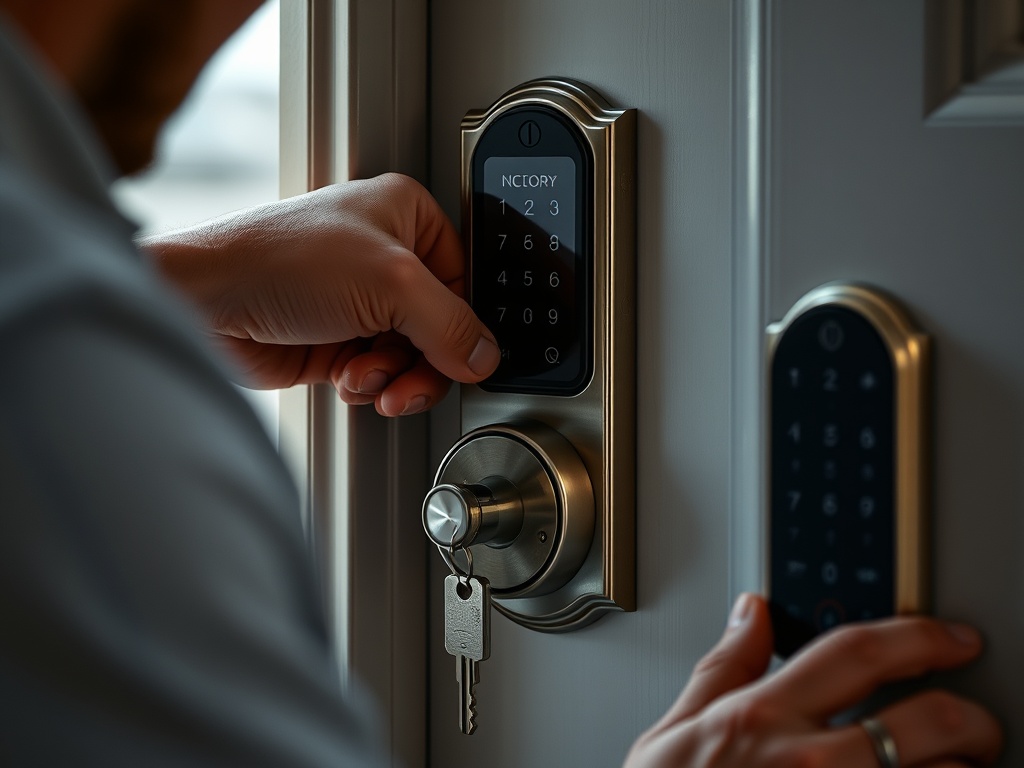
Smart locks can reduce some key-management problems by allowing unique or time-limited access codes, depending on the model. A homeowner may be able to revoke a code without replacing hardware, check lock status remotely, or receive alerts. These features can help households that regularly coordinate guests, caregivers, cleaners, or short-term access.
Convenience can support better behavior. If auto-lock or remote status means a door is less likely to remain unintentionally open, that is a practical benefit. It is not a guarantee: settings can be wrong, batteries can run down, doors can fail to latch fully, and users can misunderstand status indicators.
Some smart locks retain a mechanical keyway or provide emergency power options; others use different backup methods. Review the exact failure behavior before purchase. Ask what happens during a dead battery, internet outage, phone loss, account lockout, or vendor-service interruption.
The cybersecurity layer is real
A connected lock introduces accounts, wireless protocols, mobile apps, cloud services, and sometimes integrations with voice assistants or home-automation platforms. That additional surface requires maintenance. NIST guidance for smart-home users recommends practices such as changing default credentials, using strong unique passwords, enabling multi-factor authentication when available, installing updates, and reviewing security and privacy settings.
Home network security matters too. Keep router firmware current, use secure Wi-Fi settings, and avoid reusing passwords across services. If a lock supports guest codes, create separate ones rather than sharing the household administrator credential.
Privacy is part of the comparison. A smart lock may create access logs or connect them to an account. Review what data the vendor stores, how long it is retained, whether cloud operation is required, how accounts are recovered, and what happens to service if the product line is discontinued.
Maintenance and cost trade-offs
A mechanical deadbolt usually needs occasional inspection, alignment, cleaning, and lubrication approved for the hardware. Smart locks need those physical checks plus battery replacement or charging, software updates, account management, and sometimes hub or network maintenance. If the door binds seasonally, fix the alignment rather than forcing either type of lock to compensate.
Purchase price is only one cost. Smart models can require accessories, compatible hubs, subscriptions for optional services, or replacement if vendor support ends. Mechanical hardware may incur rekeying costs when keys are lost or occupants change. Compare the costs likely for your household rather than relying on a single sticker price.
Home technology budgets can also compete. If you are considering energy upgrades, the financial framework in the homeowner solar guide is a reminder to keep convenience purchases separate from return-on-investment calculations.
| Factor | Traditional deadbolt | Smart lock |
|---|---|---|
| Physical performance | Depends on certified hardware and installation | Depends on certified hardware and installation |
| Power | No battery for basic function | Usually battery powered; backup varies |
| Access control | Physical keys and rekeying | Codes/app features vary by model |
| Cyber upkeep | None for the lock | Accounts, updates, network and privacy settings |
| Best fit | Simplicity and offline operation | Flexible access and remote features |
A quick decision framework
Choose a traditional deadbolt when simplicity, long service life without software, offline operation, and low technical maintenance are the priorities. It is especially sensible when key control is straightforward and remote access is not useful.
Choose a smart lock when flexible credential management, remote status, scheduled access, or automation solves a real household need, and you are comfortable maintaining accounts, batteries, software, and privacy settings. Favor models with credible physical certification and a clear support policy.
Consider a hybrid smart deadbolt with a mechanical key backup if you want connected features but prefer a familiar fallback. The exact configuration is a preference, not an objective safety ranking. Verify the model's certified physical performance and backup behavior.
For other mobile or connected purchases, the same principle applies: buy the feature set that solves a defined problem. The comparisons of smart sprinkler timers for small yards and rolling carts for utility spaces use that use-case-first approach in very different categories.
Installation can matter more than the feature list
Follow the hardware instructions for door preparation, backset, bore dimensions, strike alignment, and fastener placement. A smart lock that strains against a misaligned bolt may drain batteries faster or fail to report state reliably; a traditional deadbolt may simply become difficult to throw.
If the door or frame is damaged, if fire-rating requirements apply, or if the opening is part of a multifamily or regulated building, consult the property manager or a qualified professional before modifying hardware. Renters should obtain permission rather than replacing locks unilaterally.
Test every authorized access method after installation, including the backup method. Then repeat that test when batteries are changed, firmware is updated, or household access rules change.
Choose the system you will actually maintain
For many homes, physical certification and correct installation matter more than the smart-versus-mechanical label. After that baseline, the decision becomes operational: do you benefit enough from digital access control to accept its maintenance and privacy responsibilities?
Before buying, write down your three must-have access scenarios and your preferred outage fallback. Use those requirements to eliminate locks that do not fit, then compare certified performance among the remaining choices.
General information note: Home-security and cybersecurity guidance is general and educational. No lock guarantees security. Building rules, fire codes, door construction, threat profiles, and technical requirements vary; use qualified installers or security professionals for site-specific needs.